Download
Krutidev Keyboard Image
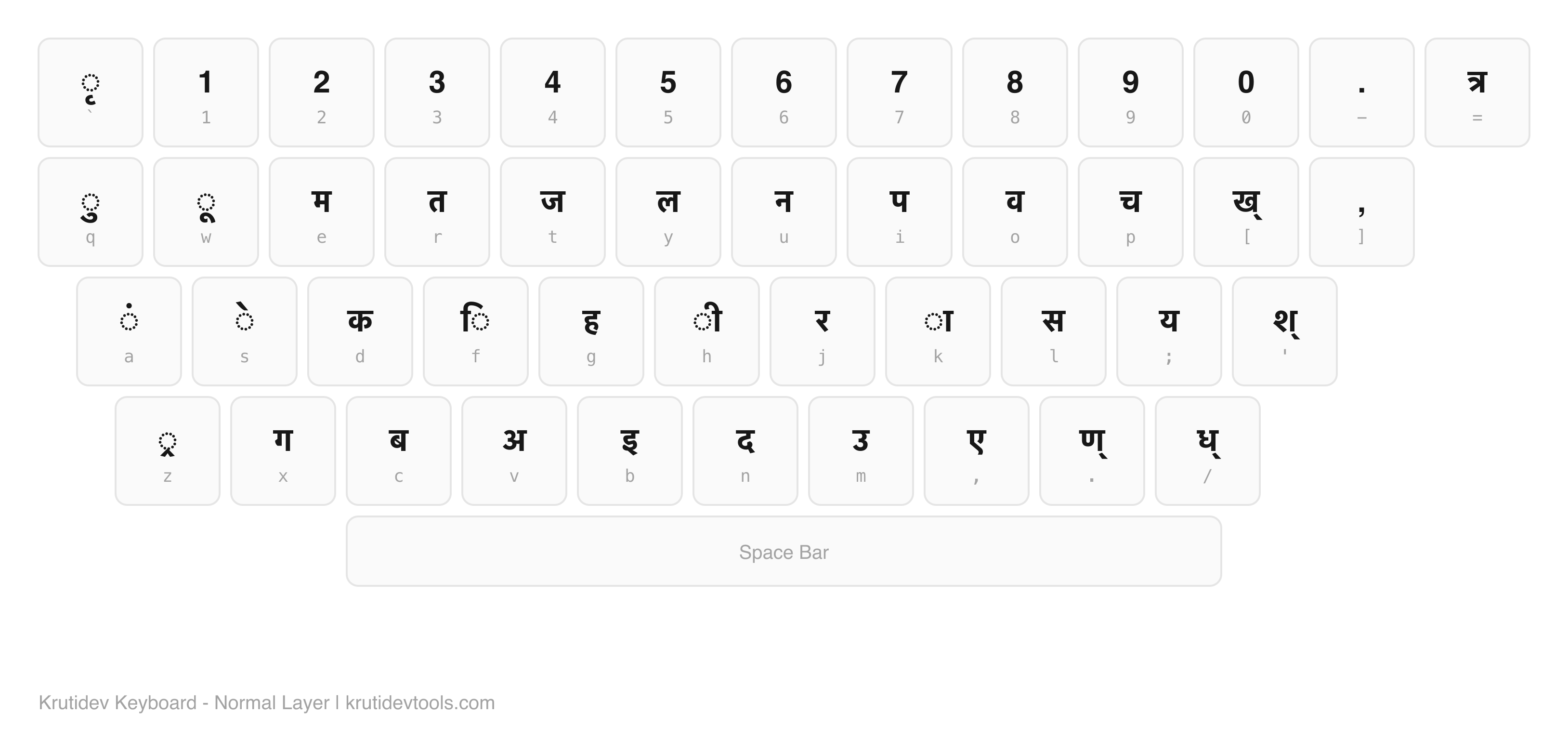
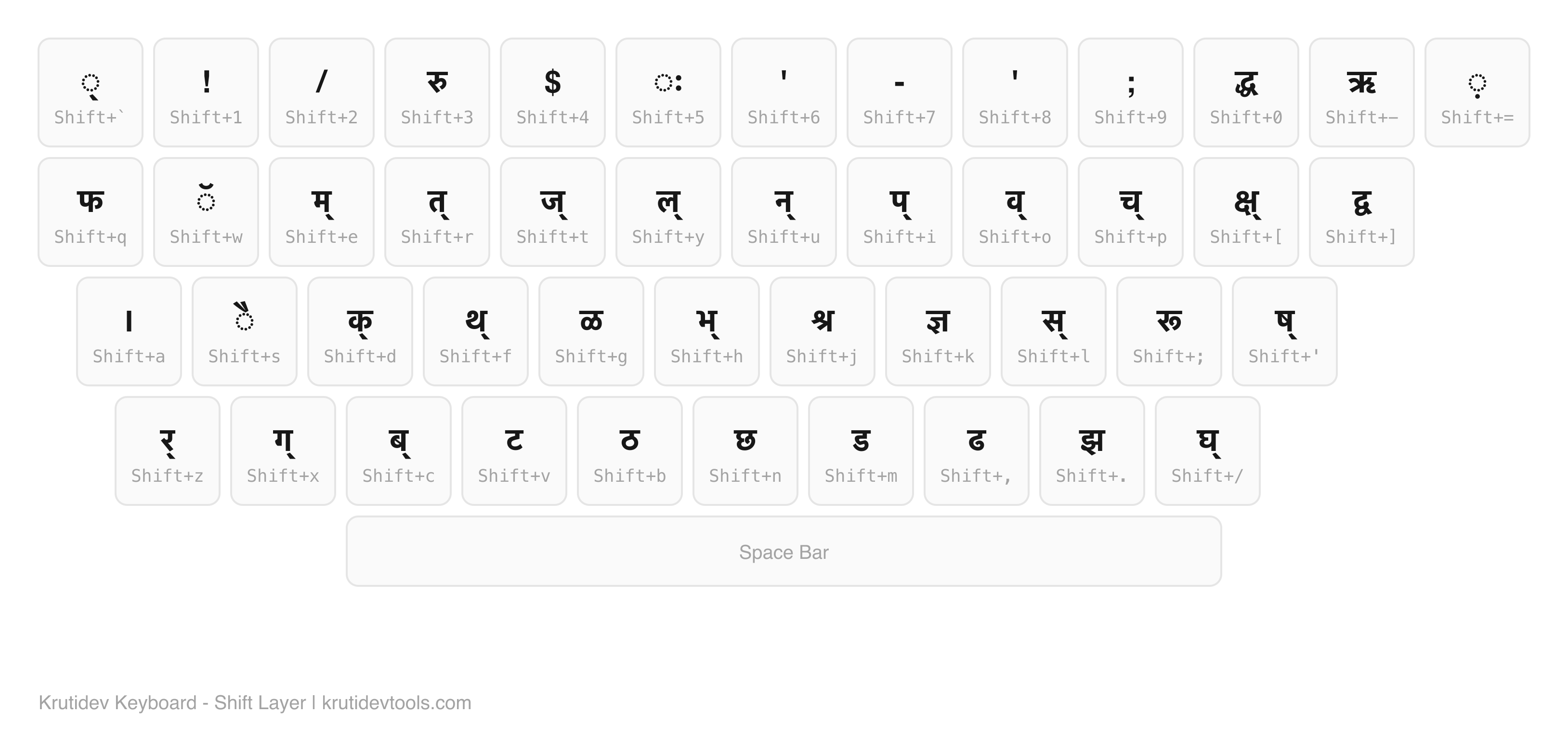
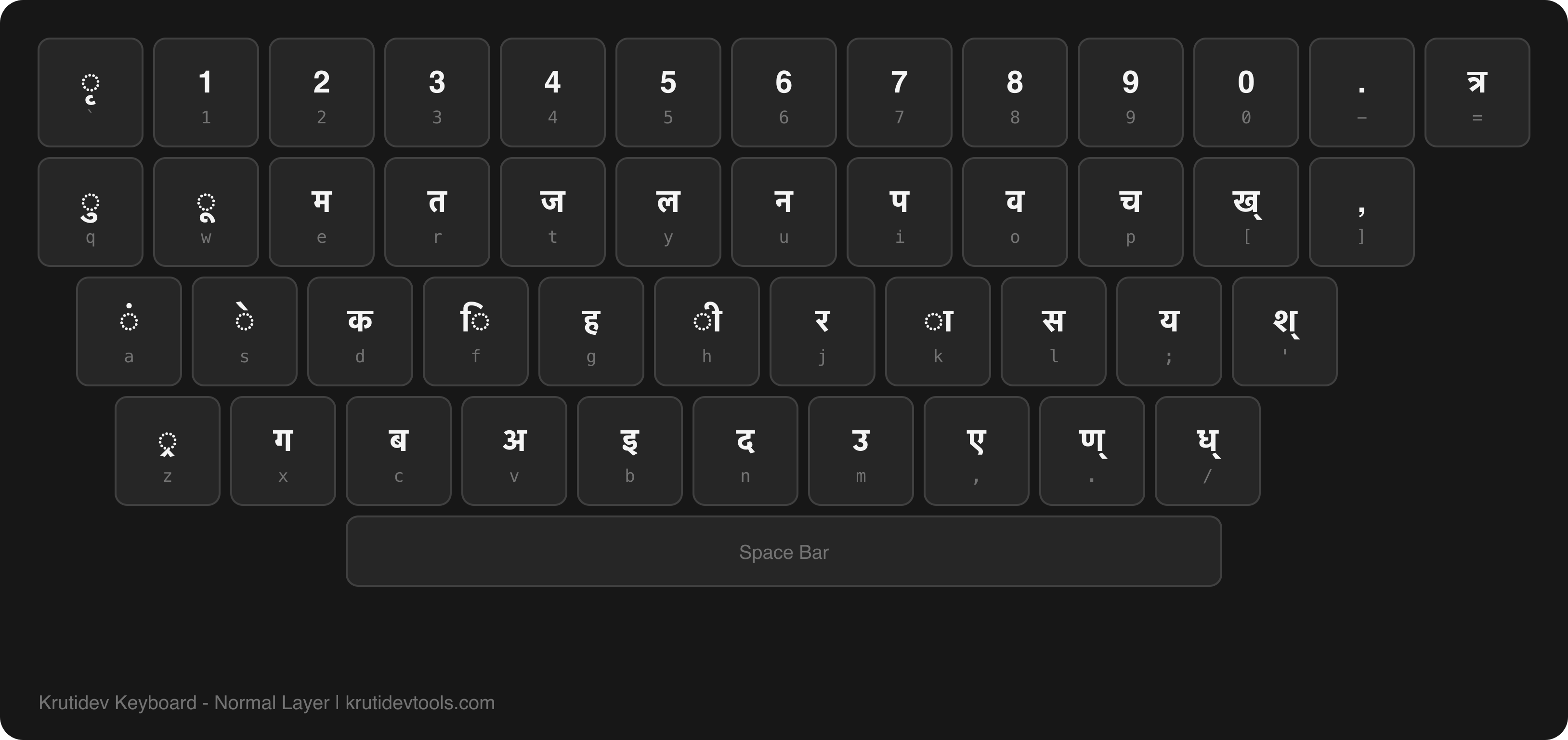
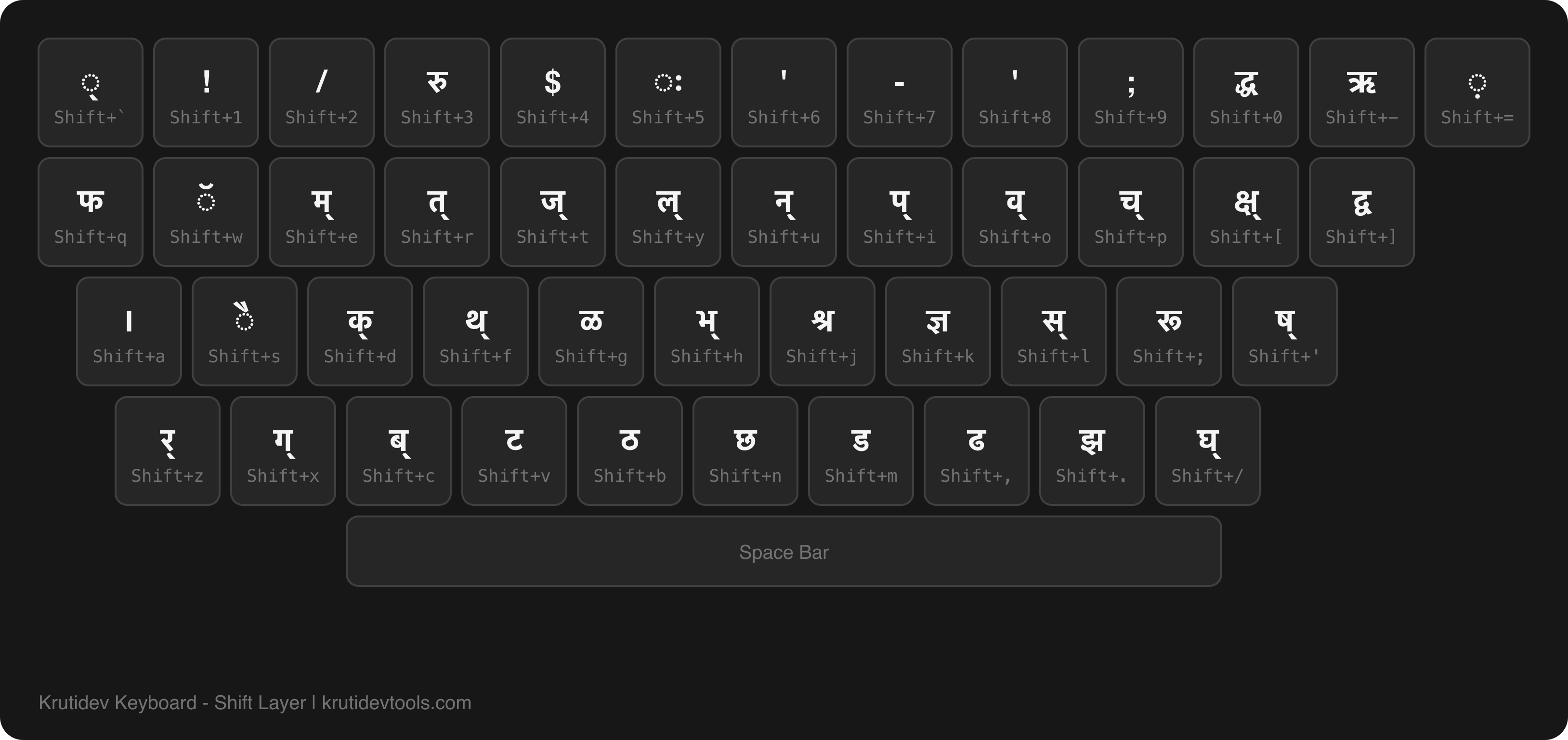
High-quality Kruti Dev 010 keyboard layout that stays sharp at any zoom level. The keyboard image shows both Hindi (Devanagari) characters and their English key positions. Screenshot or print this page for a clean reference image. Adapts to light and dark mode.
Normal Layer
Each key shows the Hindi character on top and the QWERTY key label below.
ृ`
11
22
33
44
55
66
77
88
99
00
.-
त्र=
ुq
ूw
मe
तr
जt
लy
नu
पi
वo
चp
ख्[
,]
Caps
ंa
ेs
कd
िf
हg
ीh
रj
ाk
सl
य;
श्'
Shift
्रz
गx
बc
अv
इb
दn
उm
ए,
ण्.
ध्/
Space Bar
Shift Layer
Characters produced when Shift is held. Highlighted in amber to distinguish from the normal layer.
्Shift+`
!Shift+1
/Shift+2
रुShift+3
$Shift+4
ःShift+5
'Shift+6
-Shift+7
'Shift+8
;Shift+9
द्धShift+0
ऋShift+-
़Shift+=
फShift+q
ॅShift+w
म्Shift+e
त्Shift+r
ज्Shift+t
ल्Shift+y
न्Shift+u
प्Shift+i
व्Shift+o
च्Shift+p
क्ष्Shift+[
द्वShift+]
Caps
।Shift+a
ैShift+s
क्Shift+d
थ्Shift+f
ळShift+g
भ्Shift+h
श्रShift+j
ज्ञShift+k
स्Shift+l
रूShift+;
ष्Shift+'
Shift
र्Shift+z
ग्Shift+x
ब्Shift+c
टShift+v
ठShift+b
छShift+n
डShift+m
ढShift+,
झShift+.
घ्Shift+/
Download Keyboard Images
Click to preview, then download. HD PNG images ready for printing, studying, or sharing.
Frequently Asked Questions
What resolution are the keyboard images?
The keyboard on this page is vector-based, so it stays sharp at any resolution. Zoom to the size you need, then screenshot it or print to PDF for a crisp copy. For dedicated HD image files, we are preparing 2400x800px PNG and WebP versions - check back soon.
Can I use these images in my blog or YouTube video?
Yes. The keyboard layout itself is public domain (it is the standard Remington Hindi typewriter layout). Our rendered version is free to use with attribution. Link back to krutidevtools.com if you use it in published content.
How do I save the keyboard as an image from this page?
On desktop: right-click the keyboard area and select "Inspect Element," then right-click the keyboard container and choose "Capture Node Screenshot" (Chrome/Edge) or "Screenshot Node" (Firefox). On mobile: take a regular screenshot and crop to the keyboard area.
Is there a dark mode version of the keyboard image?
Toggle dark mode using the moon/sun icon in the site header. The keyboard rendering on this page automatically adapts to your selected theme. Take a screenshot in whichever mode you prefer.
Does this show the Kruti Dev keyboard layout used in CPCT exams?
Yes. This is the standard Remington layout used by Kruti Dev 010 in CPCT, UPSSSC, and other government typing exams. The normal layer covers everyday Hindi characters, and the shift layer shows half-consonants and conjunct-forming keys. Print the normal layer first - it covers 90% of exam passages.